

My persuasive writing eBook is currently in the operating room undergoing surgery.
The different parts didn’t assemble as neatly as I’d hoped. I started off discussing business writing in general but by chapter seven I’d started focusing on sales letter and landing page copywriting.
So I’m now in the process of cutting unwanted material with a hacksaw and implanting fresh words to try and create the eBook I’d planned.
Whilst it’s still on the operating table, I thought I’d investigate how I can use my free eBook to convert visitors into subscribers.
I’ve noticed in recent months that more websites (and not just blogs) are using pop-up subscription boxes to signup visitors to their newsletter or RSS feed.
As every internet marketer knows, few people are going to buy your product or service on the first visit. So you need to be able to maintain contact and build a relationship over time; using a pop-up subscription box makes signing up visitors to receive your content that little bit easier.
Unblockable (for now)
After a brief search, I stumbled upon a free WordPress plugin for creating a subscription pop-up screen.
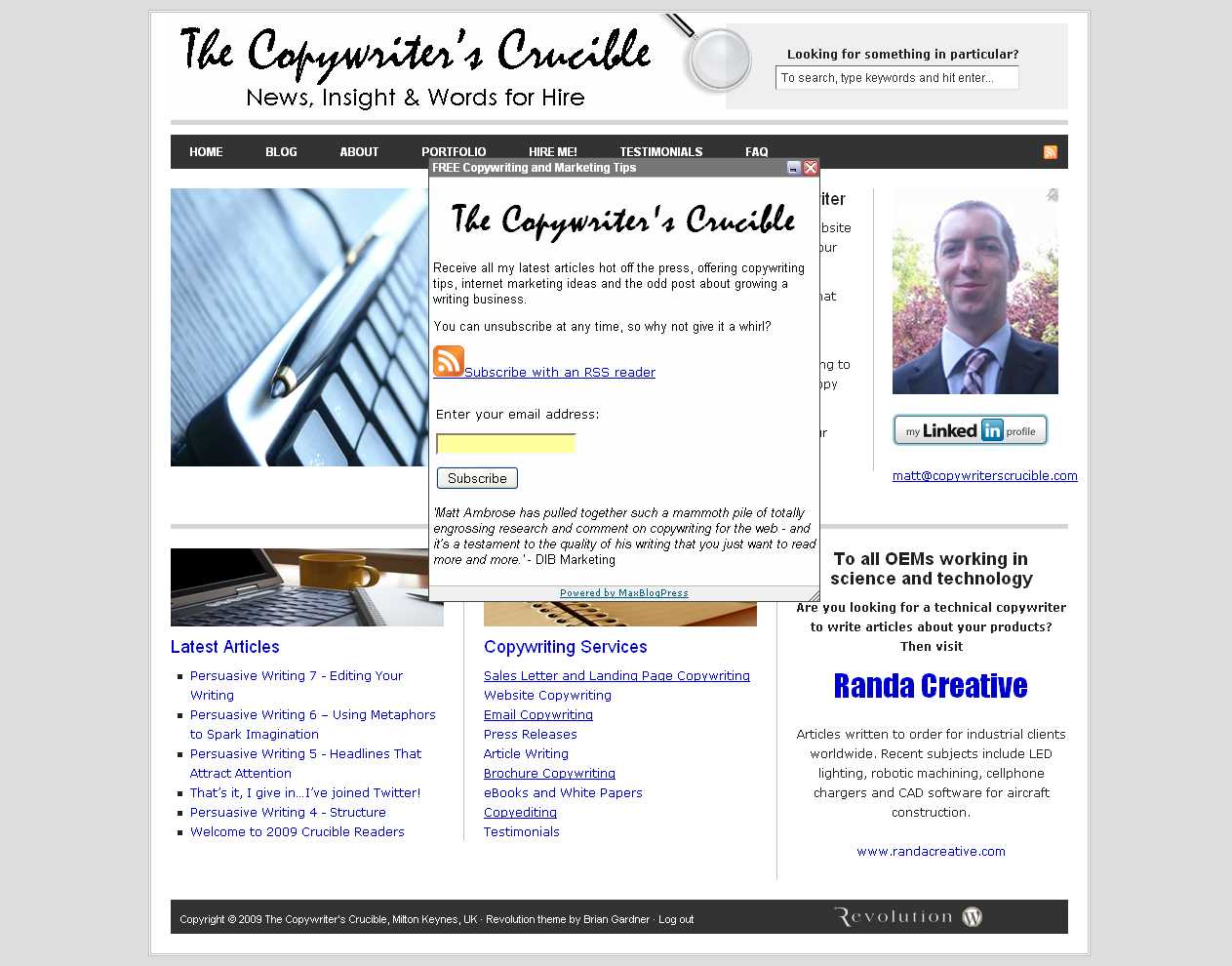
The MaxBlogPress Unblockable Pop-up plugin is a breeze to install and start using. You simply upload and activate as you would a normal plugin, and then you create your Pop-up within minutes using the straightforward editor.
You can specify your pop-up’s size, how you’d like it to appear and (most importantly) how frequently you’d like it to display.
Mine in action:

Whilst the temptation might be to flash up your offer at every opportunity, obtrusive pop-ups can be as annoying as a pushy salesman and risk causing visitors to leave and never come back.
So I’d recommend displaying your ad once or twice and then allow visitors to browse in peace.
Unfortunately I don’t think it’s going to be possible to use the plugin to to give away my eBook without using a separate autoresponder, so I’ll probably just add the eBook as a link in the footer of future posts.
Hopefully if the surgery is successful my eBook will be out of the operating theatre and ready to start seeing visitors next week.

I’m curious if it is installed right now, because if it is, something of mine is blocking it. I’ve got Firefox with Adblcok Plus, NoScript, and a some cookie blocker that I don’t remember. I also went into about:config and did whatever you do to keep windows from possibly being opened without scrollbars, resize corners, and most importantly the CLOSE “x” in the corner.
Not sure that I would support such a plug-in if it did work. I hate anything that forgets that I am the person, and I make the decisions not the computer, the browser, or my all-time pet peeve, the DVD player.
If I ever find one that doesn’t allow the DISC to prohibit operations, I’ll buy it. Who cares what the disc wants, I’m the human!
Hi Brian,
It wouldnt surprise me if it does get blocked by some ad blockers. I can appreciate that pop-ups can be intrusive so I’ve only set mine to appear a couple of times. Still only on trial at the moment and I’ll probably take it down if it doesnt generate subscriptions.
Matt.
Noscript blocks popovers because they require javascript to run. If you want to see a popover in action on a page, manually allow scripts to run on that page.
I have some problem with MUP, I can’t set the link to new window… I’m worried if I use it I get subscriber but I lost visitor… any advice??
there should be an option to show it to visitors only. so they’ll get annoyed and just register to avoid the popup.
Hope this will help us in my blog (itpromate.com) to increase our subscribers count. Thanks and we @ itpromate.com will try to make a article for this plugin. 🙂